
On October 31, 2026, Zotek COD Form earned Shopify’s Built for Shopify status. That makes it a Built for Shopify COD form: an app Shopify has reviewed against its highest quality standards for performance, design and integration. For merchants who sell with Cash on Delivery, the timing matters. BFCM traffic is only weeks away, and the order form is often the last step between a shopper’s interest and a confirmed order.
What is Built for Shopify?
Built for Shopify is Shopify’s own quality program for apps. It is not a paid placement, and it is not a badge an app can buy. Apps are reviewed against Shopify’s published requirements, and they have to keep meeting those requirements to keep the status. On the Shopify App Store, the badge appears on the app card and the app listing, so merchants can spot it while they compare tools.
What Shopify reviews before awarding the badge
Shopify groups its Built for Shopify standards into three areas, as described in its Built for Shopify guide:
- Performance: apps should help keep stores running fast for shoppers.
- Design: simple workflows and clear interfaces make onboarding and daily use easier.
- Integration: apps work side by side with the Shopify admin, keeping controls and data easy to reach.
What this means for merchants using Zotek COD Form
- A form you can rely on during busy days. Zotek COD Form has been reviewed against Shopify’s performance standards, which matters most when BFCM traffic peaks.
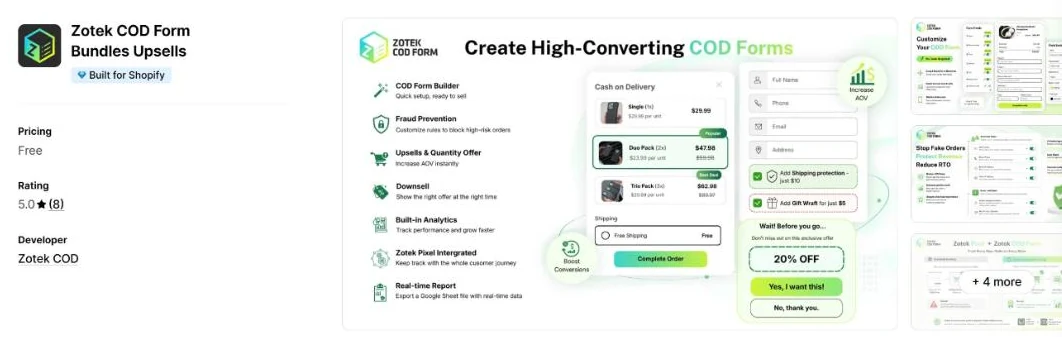
- Setup that feels familiar. You build your form, offers and order rules inside an interface that follows Shopify’s design standards, with no code needed.
- Room to grow order value. Upsells, downsells, quantity offers and bundles sit inside the same COD ordering flow.
- Orders your team can confidently ship. Order rules for email, phone, IP and order limits help you keep order quality high.
- Still free. Zotek COD Form remains free to install and use.
Both Zotek apps are now Built for Shopify
Zotek Pixel, our Facebook and TikTok Pixel app, already carries the Built for Shopify badge. With Zotek COD Form joining it, merchants who run Meta or TikTok ads can pair the two apps to help send COD orders to their ad platforms, from the moment a shopper submits the form to the Purchase event their campaigns learn from.
How to get your COD form ready before BFCM
- Install Zotek COD Form from the Shopify App Store.
- Choose a popup or embedded form, then set the fields, offers and order rules that fit your store.
- Test the full flow on a real phone before traffic rises. Our Shopify BFCM COD form checklist walks you through seven practical tests.
Thank you to our merchants
Zotek COD Form launched on the Shopify App Store in May 2026. Since then, merchants have tested it on real storefronts, sent feature requests and shared honest feedback. Much of what Shopify evaluated came from those conversations, so this milestone belongs to them as well.